
Everything
in its place.
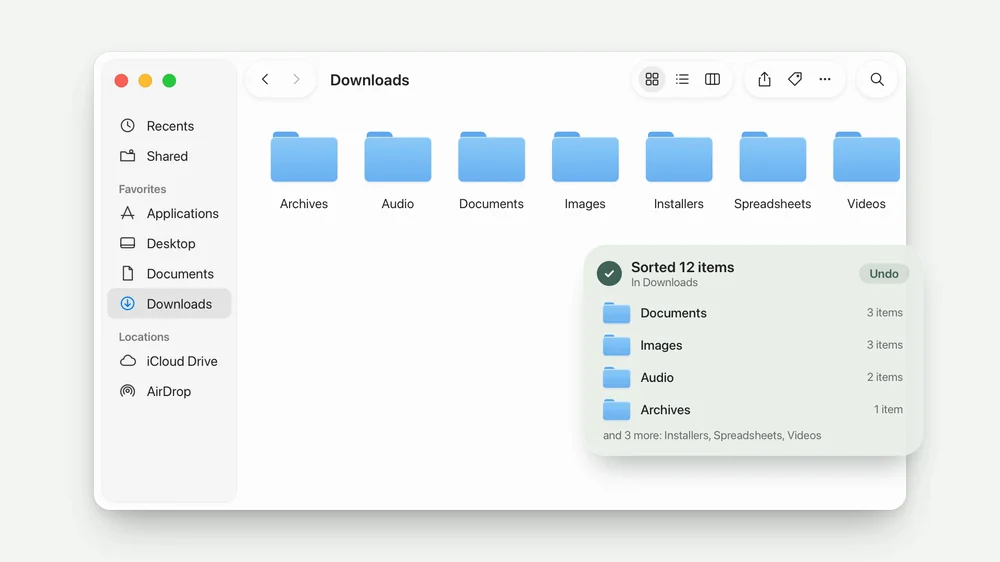
Right-click a folder and choose Sort. Photos go to Images, PDFs to Documents, songs to Audio. Sort everything at once, or just one kind of file.

Sort / How it works
One right-click.
A whole folder, tidied in a second.
- Right-click a folder, or inside one.
- Choose Sort, then All Files.
- Everything goes into its folder.
- Changed your mind? Undo.
A few useful details.
Small decisions that make Sort feel easy to live with.
Only ever moved
Sort never deletes a file and never replaces one. If a name is taken, the new arrival gets the next free name, like photo 2.jpg.
Undo, any time
Every sort can be put back exactly as it was, from the card that appears or later from Settings.
Duplicates, found
Find exact copies in a folder and everything inside it. Each copy is checked byte by byte, and nothing goes to the Trash until you confirm.
Getting started.
No special permissions. Open Sort once and turn on its Finder extension, then right-click any folder and choose Sort.
Made for Apple silicon Macs running macOS 15 or later.
Can I choose the folders?
Yes. In Settings, rename folders, add your own, and choose which kinds of file go where.
What does it leave alone?
Hidden files, links, downloads still in progress, files changed moments ago, and folders your Mac relies on, such as Library.
What happens to duplicates?
Sort shows every copy and keeps one of each. When you confirm, the others go to the Trash, so they can still be put back.


The little family.
Dock, Drop, Awake, Convert and Sort in one download.
Five separate apps. Use the ones you want.